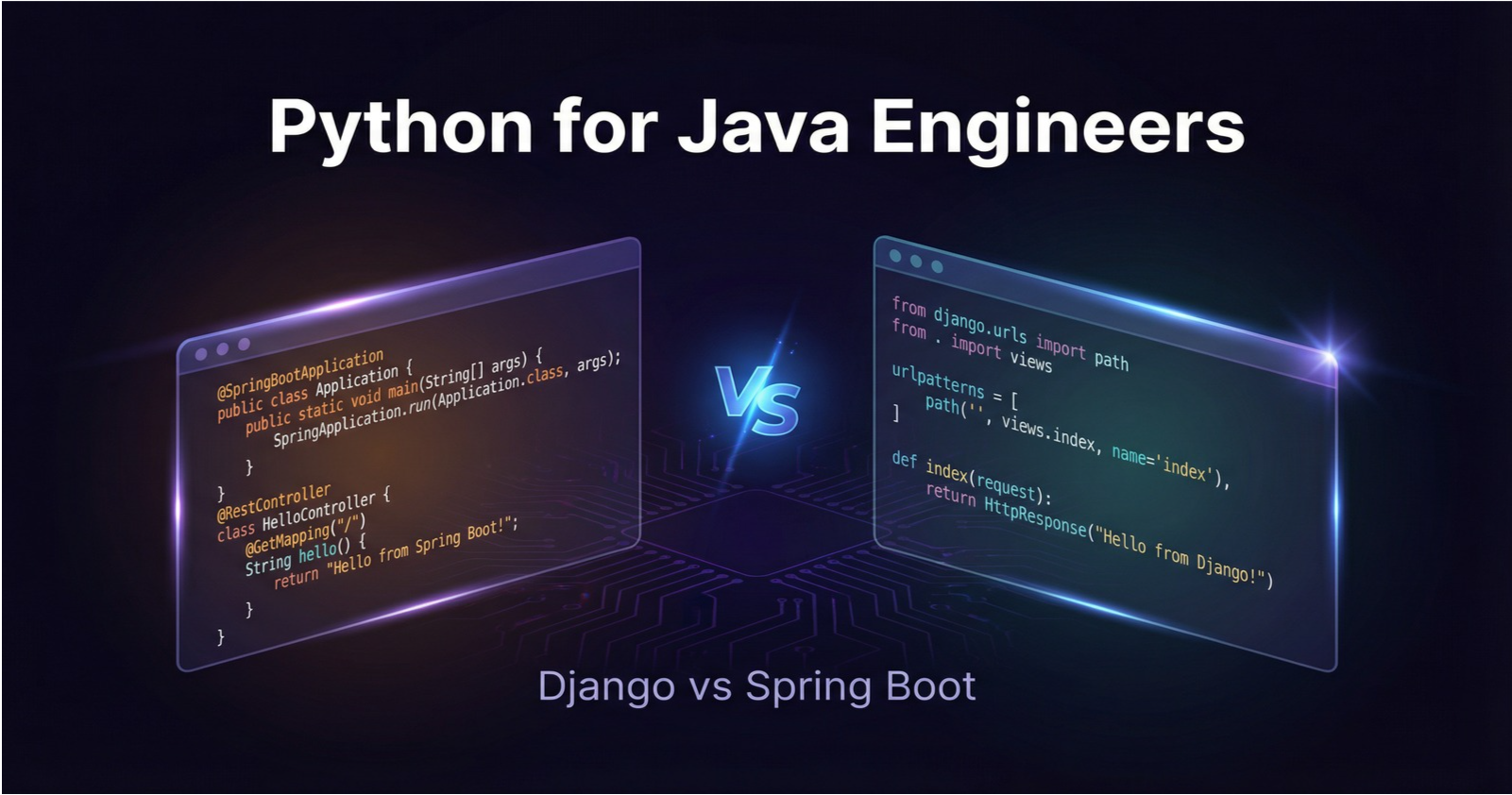
Python for Java Engineers: Django vs Spring Boot — A Battle-Tested Comparison for Server-Side API Development
If you've spent years mastering Spring Boot, Python might feel alien at first. Here's a comprehensive guide to mapping everything you know onto Python and Django — with no hand-holding.


"Engineers with Java design skills become the ultimate full-stack developers when they master Python."
As a Java/Spring Boot veteran, you already understand layered architecture, dependency injection, ORM patterns, and REST API design. The good news: those mental models transfer directly. The challenge is unlearning some habits — verbose type declarations, checked exceptions, annotation-driven configuration — and replacing them with Python's more concise, "batteries included" philosophy.
This article walks you through every major dimension of server-side API development, comparing Spring Boot and Django side by side. By the end, you'll know exactly what to reach for and what to watch out for.
1. Language Philosophy — "Explicit" vs "Concise"
Before diving into frameworks, you need to understand the different value systems baked into Java and Python.
Java's core promise is "Write Once, Run Anywhere" — a language optimized for safety, predictability, and enterprise-scale maintainability. Java rewards verbosity because verbosity is documentation. When you declare private final String name;, every reader of that code immediately knows mutability intent, type, and access scope. The Spring ecosystem extends this with "Convention over Configuration," giving you powerful defaults while remaining highly configurable via annotations.
Python's core promise comes from The Zen of Python: "There should be one obvious way to do it." Python optimizes for developer expressiveness and iteration speed. The "Batteries Included" philosophy means Python ships with a rich standard library — HTTP clients, JSON parsing, CSV handling, async primitives — all without reaching for third-party dependencies.
| Java | Python |
|---|---|
| Static Typing / Compiled | Dynamic Typing / Interpreted |
| Verbose but Explicit | Readability & Conciseness First |
| Safety & Performance First | Agility & Expressiveness First |
| Enterprise Design (JVM) | "Batteries Included" Philosophy |
| "Convention over Configuration" (Spring) | "One Obvious Way" (Zen of Python) |
The mental model shift: Stop thinking about Python as "Java with less syntax." Think of it as a different cultural philosophy about how much the language should trust you as the programmer.
2. Type System — Static vs Dynamic (With Type Hints)
The biggest mental gear-shift for Java engineers is Python's dynamic typing. In Java, the compiler is your first line of defense:
// Java — compiler enforces correctness
String name = "Alice";  // Cannot assign an int here without compilation error
int age = 30;

// Java 10+: type inference for local variables
var message = "Hello";  // Still statically typed, just inferred
In Python, variables are just names bound to objects:
# Python — no type declaration needed
name = "Alice"
age = 30

# Nothing stops you from doing this (though you shouldn't):
name = 42  # Reassigning to int — Python won't complain
But Python isn't completely type-unsafe. Since Python 3.5, PEP 484 introduced Type Hints — optional annotations that tools like mypy can statically check:
# Python with Type Hints — voluntary, not enforced at runtime
def greet(name: str, age: int) -> str:
    return f"Hello, {name}! You are {age} years old."

# mypy will catch this:
greet("Alice", "thirty")  # error: Argument 2 to "greet" has incompatible type "str"; expected "int"
Key insight: Type hints in Python are documentation and tooling hints, not runtime guarantees. mypy runs as a separate static analysis tool, typically in your CI/CD pipeline — not the compiler itself. Think of it as a powerful linter rather than Java's type system.
Practical recommendation for Java engineers: Use type hints from day one. The productivity loss from not having them will frustrate you, and adding them retroactively is painful. Integrate mypy into your pre-commit hooks and CI pipeline.
3. Classes & OOP — Reducing Boilerplate Dramatically
Consider a simple Java POJO/Record:
// Java — verbose (without Lombok)
public class User {
    private final String name;
    private final int age;

    public User(String name, int age) {
        this.name = name;
        this.age = age;
    }

    public String getName() { return name; }
    public int getAge() { return age; }

    @Override
    public String toString() {
        return "User{name='" + name + "', age=" + age + "}";
    }

    @Override
    public boolean equals(Object o) { /* ... */ }

    @Override
    public int hashCode() { /* ... */ }
}
With Lombok you'd use @Value or @Data to eliminate most of this. Python's @dataclass decorator (introduced in Python 3.7) is the built-in equivalent:
from dataclasses import dataclass

@dataclass
class User:
    name: str
    age: int
    # Auto-generates: __init__, __repr__, __eq__, __hash__
That's it. The @dataclass decorator introspects the type-annotated class attributes and generates __init__, __repr__, __eq__, and optionally __hash__ for you. If you want immutability (the equivalent of Lombok's @Value), add frozen=True:
@dataclass(frozen=True)
class User:
    name: str
    age: int
For more advanced use cases — validators, field aliases, JSON serialization — look at Pydantic, which has become the de facto standard for data validation in Python APIs:
from pydantic import BaseModel, EmailStr

class CreateUserRequest(BaseModel):
    name: str
    email: EmailStr  # Validates email format automatically
    age: int

# Pydantic validates on instantiation:
user = CreateUserRequest(name="Alice", email="not-an-email", age=30)
# ValidationError: value is not a valid email address
4. Exception Handling — Checked vs Unchecked
Java famously has checked exceptions — exceptions that the compiler forces you to handle or declare:
// Java — IOException is a checked exception
try (var reader = Files.newBufferedReader(path)) {
    return reader.readLine();
} catch (IOException e) {
    // Must handle this — the compiler won't let you ignore it
    throw new UncheckedIOException(e);
}
Python has no checked exceptions. All exceptions are unchecked (similar to RuntimeException subclasses in Java). The with statement serves the same cleanup role as Java's try-with-resources:
# Python — all exceptions are unchecked
try:
    with open(path) as f:  # 'with' handles file closure automatically
        return f.read()
except OSError as e:
    raise  # Re-raises the same exception (like 'throw' in Java)
The with statement works via Python's Context Manager protocol — any object implementing __enter__ and __exit__ can be used with it. Database connections, locks, and HTTP sessions all commonly implement this pattern.
Watch out: The lack of checked exceptions means Python won't remind you to handle errors. This puts the discipline on you and your team. Use mypy and thorough testing to compensate.
5. Collections & Iteration — Stream API vs List Comprehensions
Java's Stream API is powerful but verbose:
// Java — filter and map a list of names
List<String> result = names.stream()
    .filter(n -> n.startsWith("A"))
    .map(String::toUpperCase)
    .collect(Collectors.toList());
Python's list comprehensions express the same logic in a single line:
# Python — concise and readable
result = [n.upper() for n in names if n.startswith("A")]
List comprehensions follow the pattern [expression for item in iterable if condition]. They're not just syntactic sugar — they're generally faster than equivalent map()/filter() calls in CPython because of reduced function call overhead.
For lazy evaluation (equivalent to Java streams before .collect()), Python has generator expressions — just replace [] with ():
# Generator — doesn't build the list in memory until consumed
result_gen = (n.upper() for n in names if n.startswith("A"))

# Only materializes when you iterate:
for name in result_gen:
    print(name)
Other Pythonic collection patterns to know:
# Dictionary comprehension (like Java's Collectors.toMap())
name_to_age = {user.name: user.age for user in users}

# Set comprehension
unique_domains = {email.split("@")[1] for email in emails}

# Unpacking (multiple return values — cleaner than Java)
first, *rest = [1, 2, 3, 4, 5]
# first = 1, rest = [2, 3, 4, 5]
6. Async & Concurrency — GIL vs Virtual Threads
This is where Java and Python diverge most significantly, and where Java engineers need to recalibrate expectations.
Java (Java 21+) with Virtual Threads (Project Loom) achieves true OS-level parallelism:
// Java 21+ — Virtual Threads for high-concurrency I/O
try (var executor = Executors.newVirtualThreadPerTaskExecutor()) {
    executor.submit(() -> handleRequest());
}
Python has the GIL (Global Interpreter Lock) — a mutex that prevents multiple native threads from executing Python bytecode simultaneously. This means:
CPU-bound tasks: Python threads don't actually run in parallel. Use
multiprocessinginstead.I/O-bound tasks: Python's
asyncioshines — while one coroutine awaits I/O, the event loop runs others.
import asyncio

async def fetch_data(url: str) -> str:
    await asyncio.sleep(1)  # Non-blocking — event loop runs other coroutines
    return "data"

async def main():
    # Run multiple coroutines concurrently
    results = await asyncio.gather(
        fetch_data("url1"),
        fetch_data("url2"),
        fetch_data("url3"),
    )
For Django API development, most bottlenecks are I/O-bound (database queries, HTTP calls), so asyncio handles concurrency well. Django has supported async views and ORM operations since Django 4.1.
Python 3.13 note: The GIL is being made opt-in in CPython 3.13, which may eventually enable true parallelism — watch this space.
7. Framework Overview — Django vs Spring Boot
Here's the high-level comparison that should orient any Spring Boot developer:
| Aspect | Django | Spring Boot |
|---|---|---|
| Philosophy | Batteries Included (Full Stack) | Modular (Enterprise) |
| Startup Time | Fast (Seconds) | Slower (JVM Warmup) |
| Memory | Low (~100MB) | Higher (~300MB+) |
| ORM | Django ORM (Standard) | JPA/Hibernate (Standard) |
| Auth | Built-in (django.contrib.auth) |
Spring Security |
| Migrations | Auto-generated (manage.py) |
Manual SQL (Flyway) |
| Admin UI | Auto-generated (Django Admin) | None (Custom impl.) |
| REST API | DRF (Django REST Framework) | Spring Web MVC |
| Async | ASGI/Channels | WebFlux (Reactor) |
The key insight: Django is more like Ruby on Rails — opinionated, full-stack, with strong conventions. Spring Boot is more modular and enterprise-grade, giving you fine-grained control at the cost of more configuration.
For Java engineers, Spring Boot's modularity feels familiar. But don't underestimate Django's productivity advantages: auto-generated admin UI, automatic migrations, and DRF's serializer-as-DTO pattern can cut development time significantly for CRUD-heavy APIs.
8. Project Structure — Layered vs App-Based
Spring Boot typically uses a layered architecture — code is organized by role:
src/main/java/com/example/
├── controller/
│   └── UserController.java
├── service/
│   └── UserService.java
├── repository/
│   └── UserRepository.java
└── model/
    └── User.java
Django uses an app-based structure — code is organized by feature:
manage.py
config/
├── settings.py
└── urls.py
users/              ← Feature App
├── models.py
├── views.py
├── serializers.py
└── urls.py
Each Django "app" is a self-contained module for a feature domain. A typical project might have users/, products/, orders/ apps, each with their own models, views, and URL routing. This maps conceptually to a microservice boundary within a monolith — useful for later extraction.
Creating a new project:
# Install Django and DRF
pip install django djangorestframework

# Create project
django-admin startproject config .

# Create a feature app
python manage.py startapp users
Register the app in config/settings.py:
INSTALLED_APPS = [
    ...
    'rest_framework',
    'users',
]
9. Routing — Annotations vs URLconf
Spring Boot defines routes via annotations directly on controller methods:
@RestController
@RequestMapping("/api/users")
public class UserController {

    @GetMapping("/{id}")
    public ResponseEntity<UserDto> getUser(@PathVariable Long id) {
        // ...
    }
}
Django centralizes routes in urls.py files:
# users/urls.py
from django.urls import path
from . import views

urlpatterns = [
    path("api/users/<int:pk>/", views.UserDetailView.as_view()),
    path("api/users/", views.UserListCreateView.as_view()),
]
# config/urls.py — root URL configuration
from django.urls import path, include

urlpatterns = [
    path("", include("users.urls")),
    path("", include("products.urls")),
]
With Django REST Framework's Routers, you can auto-generate standard CRUD routes — similar to Spring's @RepositoryRestResource:
from rest_framework.routers import DefaultRouter
from . import views

router = DefaultRouter()
router.register(r"users", views.UserViewSet)

urlpatterns = router.urls
# Automatically creates:
# GET    /users/       → list
# POST   /users/       → create
# GET    /users/{pk}/  → retrieve
# PUT    /users/{pk}/  → update
# DELETE /users/{pk}/  → destroy
10. Request/Response Handling — DTO vs Serializer
In Spring Boot, request and response handling typically uses DTOs with separate mapping logic (often MapStruct):
// Request DTO with Bean Validation
public record CreateUserRequest(
    @NotBlank String name,
    @Email String email
) {}

// Response DTO (separate from request)
public record UserDto(Long id, String name) {}

// Manual mapping or MapStruct handles Entity <-> DTO
DRF's ModelSerializer collapses all three concerns — DTO definition, validation, and mapping — into one class:
from rest_framework import serializers
from .models import User

class UserSerializer(serializers.ModelSerializer):
    class Meta:
        model = User
        fields = ["id", "name", "email"]
        read_only_fields = ["id"]

    # Custom validation — equivalent to @Email, @NotBlank
    def validate_email(self, value):
        if User.objects.filter(email=value).exists():
            raise serializers.ValidationError("Email already registered.")
        return value
The serializer handles: JSON → Python dict (deserialization), Python dict → JSON (serialization), and validation — all in one class. For write operations vs read operations with different shapes, use separate serializers:
class UserCreateSerializer(serializers.ModelSerializer):
    class Meta:
        model = User
        fields = ["name", "email", "password"]
        extra_kwargs = {"password": {"write_only": True}}

class UserReadSerializer(serializers.ModelSerializer):
    class Meta:
        model = User
        fields = ["id", "name", "email", "created_at"]
11. ORM — JPA/Hibernate vs Django ORM
JPA/Hibernate uses annotations to map entities:
@Entity
public class User {
    @Id @GeneratedValue
    private Long id;

    @OneToMany(fetch = FetchType.LAZY)
    private List<Order> orders;
}

// JPQL for complex queries
em.createQuery("SELECT u FROM User u WHERE u.name LIKE :name", User.class)
  .setParameter("name", "%alice%")
  .getResultList();
Django ORM uses Python class definitions and a fluent QuerySet API:
from django.db import models

class User(models.Model):
    name = models.CharField(max_length=100)
    email = models.EmailField(unique=True)
    created_at = models.DateTimeField(auto_now_add=True)

class Order(models.Model):
    user = models.ForeignKey(User, on_delete=models.CASCADE, related_name="orders")
    total = models.DecimalField(max_digits=10, decimal_places=2)
QuerySet API is lazy — no SQL is executed until you evaluate the queryset:
# This doesn't hit the database yet
users_qs = User.objects.filter(name__contains="alice")

# SQL executes here when the queryset is evaluated
users = list(users_qs)

# Chaining is safe and deferred
users = (
    User.objects
    .filter(name__contains="alice")
    .select_related("profile")           # JOIN (for ForeignKey)
    .prefetch_related("orders")          # Separate query (for ManyToMany/reverse FK)
    .order_by("-created_at")
    [:20]                                # LIMIT 20
)
Critical pitfall — N+1 queries: Without prefetch_related/select_related, this is an N+1:
# ❌ N+1 — executes 1 + N queries
for user in User.objects.all():
    print(user.orders.count())  # Hits DB for each user

# ✅ Optimized — 2 queries total
users = User.objects.prefetch_related("orders").all()
for user in users:
    print(user.orders.count())  # Uses prefetched data
This is equivalent to JPA's N+1 problem with FetchType.LAZY. The solution in Django is prefetch_related (for reverse FK and M2M) and select_related (for FK, generates a JOIN).
DB Migrations — Auto-generated vs Manual:
Spring Boot typically uses Flyway or Liquibase with manual SQL scripts. Django auto-generates migrations from model changes:
# Modify your models.py, then:
python manage.py makemigrations   # Django detects changes, generates migration file
python manage.py migrate          # Applies pending migrations
The generated migration file is version-controlled and can be reviewed before applying — a significant productivity win over writing SQL migrations by hand.
12. Validation
Spring Boot uses Bean Validation (JSR-380) annotations on DTOs:
public record CreateUserRequest(
    @NotBlank(message = "Required")
    @Size(max = 50)
    String name,

    @Email
    String email
) {}
DRF serializers centralize validation:
class UserSerializer(serializers.ModelSerializer):
    name = serializers.CharField(
        max_length=50,
        error_messages={"blank": "Required", "max_length": "Too long"}
    )
    email = serializers.EmailField()

    def validate_age(self, value):
        if value < 0:
            raise serializers.ValidationError("Age cannot be negative.")
        return value

    def validate(self, data):
        # Cross-field validation
        if data["role"] == "ADMIN" and not data.get("manager_id"):
            raise serializers.ValidationError("Admin users require a manager.")
        return data
For field-level validation, name the method validate_<field_name>. For object-level (cross-field) validation, override validate(). DRF serializers automatically return structured error responses:
{
    "name": ["This field may not be blank."],
    "email": ["Enter a valid email address."]
}
13. Authentication & Authorization — Spring Security vs DRF
Spring Security provides extremely fine-grained control via SecurityFilterChain:
@Bean
SecurityFilterChain filterChain(HttpSecurity http) throws Exception {
    return http
        .authorizeHttpRequests(auth -> auth
            .requestMatchers("/api/admin/**").hasRole("ADMIN")
            .anyRequest().authenticated())
        .addFilterBefore(jwtFilter, UsernamePasswordAuthenticationFilter.class)
        .build();
}
DRF's permission system is declarative and simpler:
# Global default in settings.py
REST_FRAMEWORK = {
    "DEFAULT_PERMISSION_CLASSES": [
        "rest_framework.permissions.IsAuthenticated",
    ],
    "DEFAULT_AUTHENTICATION_CLASSES": [
        "rest_framework_simplejwt.authentication.JWTAuthentication",
    ],
}

# Per-view override
class AdminView(APIView):
    permission_classes = [IsAdminUser]

    def get(self, request):
        return Response({"message": "Admin only"})
For JWT authentication, djangorestframework-simplejwt is the standard library:
pip install djangorestframework-simplejwt
For custom permission logic, subclass BasePermission:
class IsOwnerOrAdmin(BasePermission):
    def has_object_permission(self, request, view, obj):
        return request.user.is_staff or obj.owner == request.user
14. Testing — JUnit5/MockMvc vs pytest-django
Spring Boot testing with JUnit5 and MockMvc:
@SpringBootTest
@AutoConfigureMockMvc
class UserControllerTest {
    @Autowired MockMvc mockMvc;

    @Test
    void getUser() throws Exception {
        mockMvc.perform(get("/api/users/1"))
               .andExpect(status().isOk())
               .andExpect(jsonPath("$.name").value("Alice"));
    }
}
pytest-django is significantly more concise:
import pytest

@pytest.mark.django_db
def test_get_user(client, django_user_model):
    user = django_user_model.objects.create_user(username="alice", password="pass")
    response = client.get(f"/api/users/{user.pk}/")
    assert response.status_code == 200
    assert response.json()["name"] == "alice"
pytest-django handles database setup and rollback automatically — each test gets a clean DB state by default. For authenticated requests:
@pytest.mark.django_db
def test_authenticated_endpoint(client, django_user_model):
    user = django_user_model.objects.create_user(username="alice", password="pass")
    client.force_login(user)  # No password needed in tests
    response = client.get("/api/profile/")
    assert response.status_code == 200
Use pytest fixtures and factory_boy for clean test data setup:
import factory

class UserFactory(factory.django.DjangoModelFactory):
    class Meta:
        model = User

    name = factory.Faker("name")
    email = factory.Faker("email")

# In tests:
def test_user_list(client):
    UserFactory.create_batch(5)
    response = client.get("/api/users/")
    assert len(response.json()) == 5
15. Deployment & Operations
Spring Boot packages as a Fat JAR — all dependencies bundled:
FROM eclipse-temurin:21-jre-alpine
COPY target/myapp.jar app.jar
ENTRYPOINT ["java", "-jar", "app.jar"]
Characteristics: single artifact, slow startup (JVM warmup 10-30s), higher memory (300MB+).
Django requires a WSGI/ASGI server — Gunicorn for synchronous, Uvicorn for async:
FROM python:3.12-slim
WORKDIR /app
COPY requirements.txt .
RUN pip install -r requirements.txt
COPY . .
CMD ["gunicorn", "config.wsgi", "--bind", "0.0.0.0:8000", "--workers", "4"]
Characteristics: fast startup (<1s), lightweight (~100MB), but requires external process manager.
Production configuration checklist for Django:
# config/settings/production.py
DEBUG = False
ALLOWED_HOSTS = ["api.yourdomain.com"]
DATABASES = {
    "default": dj_database_url.config(default=os.environ["DATABASE_URL"])
}
STATIC_ROOT = BASE_DIR / "staticfiles"
For Kubernetes deployments, Django's fast startup makes it ideal for horizontal scaling and rolling deployments — no JVM warmup means new pods are ready in seconds.
16. Common Pitfalls for Java Engineers
Based on real-world experience, here are the gotchas that trip up Java developers most often:
Mutable Default Arguments
# ❌ WRONG — the list is created ONCE at function definition
def add_user(user, users=[]):
    users.append(user)
    return users

add_user("Alice")  # ["Alice"]
add_user("Bob")    # ["Alice", "Bob"] — surprising!

# ✅ CORRECT — use None and initialize inside
def add_user(user, users=None):
    if users is None:
        users = []
    users.append(user)
    return users
== vs is
# In Java, == compares identity for objects (you use .equals() for value)
# In Python, == compares value, 'is' compares identity

a = "hello"
b = "hello"
a == b   # True — same value
a is b   # True — CPython interns small strings (but DON'T rely on this)

x = [1, 2, 3]
y = [1, 2, 3]
x == y   # True — same value
x is y   # False — different objects

# Common bug:
if user is None:  # ✅ Correct for None checks
if user == None:  # ❌ Works but wrong idiom
GIL and CPU-bound parallelism
# ❌ Threads don't parallelize CPU-bound work
import threading
threads = [threading.Thread(target=cpu_heavy_task) for _ in range(4)]
# These run sequentially, not in parallel!

# ✅ Use multiprocessing for CPU parallelism
from multiprocessing import Pool
with Pool(4) as p:
    results = p.map(cpu_heavy_task, data)

# ✅ Use asyncio for I/O parallelism
import asyncio
results = await asyncio.gather(*[fetch(url) for url in urls])
QuerySet Lazy Evaluation
# ❌ Triggers query inside the loop — N+1!
users = User.objects.all()  # No query yet
for user in users:
    orders = user.orders.all()  # Query per user!

# ✅ Prefetch in one query
users = User.objects.prefetch_related("orders").all()
for user in users:
    orders = user.orders.all()  # Uses prefetched cache
Indentation is Scope
Coming from Java's braces, indentation errors are the most frustrating early bugs:
# ❌ IndentationError — mixing spaces and tabs
def calculate():
    x = 10
	y = 20  # Tab instead of spaces — runtime error

# ✅ Use a linter (flake8, black, ruff) to enforce consistency
Use ruff or black for automatic formatting — set up pre-commit hooks from day one.
Performance Characteristics at a Glance
| Aspect | Java / Spring Boot | Python / Django |
|---|---|---|
| CPU Throughput | High (JIT) | Lower (GIL) |
| I/O Concurrency | High (Virtual Threads) | High (asyncio) |
| Startup Time | Slow (JVM) | Fast |
| Memory Efficiency | Medium-High | High (Lightweight) |
| Dev Velocity | Medium | High |
| AI/ML Ecosystem | Low | Very High |
The honest verdict: For pure API serving at scale, Spring Boot edges out Django on CPU-heavy workloads. But for I/O-heavy APIs (which describes most web APIs — database queries, HTTP calls), the performance gap is negligible in practice. Django's developer productivity and Python's AI/ML ecosystem (NumPy, PyTorch, scikit-learn, LangChain) are compelling advantages for modern applications.
Migration Strategy — A Realistic Path from Java to Python
You don't have to rewrite everything. Here's a pragmatic migration path:
Step 1: New Microservices in Python Start greenfield services — especially AI/ML pipelines, data processing, or new feature domains — in Python/Django. Keep existing Java services as-is.
Step 2: Adopt Type Hints + mypy from Day 1 Don't skip type hints for productivity. The discipline pays off in refactoring and code review. Add mypy to your CI pipeline immediately.
Step 3: Leverage DRF ViewSets Use ModelViewSet for standard CRUD operations — it's the DRF equivalent of Spring Data REST's @RepositoryRestResource. Use ViewSet + Router for custom actions.
Step 4: Maintain Your Testing Culture Your Java testing instincts are valuable. pytest + pytest-django gives you the same unit/integration test capabilities. Don't let the reduced boilerplate tempt you into writing fewer tests.
Final Thoughts
The mindset shift from Spring Boot to Django is real, but your Java experience is a genuine asset — not a liability. OOP, SOLID principles, layered architecture, and testing patterns all transfer directly.
What you're learning is a different set of tradeoffs:
Dynamic typing in exchange for less ceremony
One large QuerySet API instead of JPQL + Criteria API
Auto-generated migrations instead of Flyway SQL scripts
Simpler permission classes instead of complex SecurityFilterChain configurations
As Python's AI/ML ecosystem continues to dominate and async Python matures, the case for Python in the backend gets stronger every year. For Java engineers, the path to full-stack versatility runs straight through Python.