
Stop Choosing an Obsidian Template. Engineer a Vault Architecture.
A practical comparison of Ideaverse, PARA, kepano, and Zettelkasten - with YAML, folder trees, workflows, and a maintainable hybrid for real engineering work.


Most Obsidian setup discussions begin with the wrong question:
Which template should I install?
That is like choosing a software architecture by comparing starter repositories. A starter can reveal useful decisions, but it cannot decide your workload, operating constraints, or maintenance budget.
An Obsidian vault is a system with at least four separable layers:
- a knowledge-development method - how raw material becomes durable understanding;
- an action-management method - how work moves from intent to completion;
- a vault implementation - folders, links, properties, templates, and views;
- an automation layer - plugins, scripts, capture tools, and external agents.
Ideaverse, PARA, kepano's public vault, and Zettelkasten are valuable, but they do not occupy the same layer. Treating them as interchangeable products produces comparisons that look precise while answering the wrong question.
This article builds a cleaner model, then implements a small hybrid vault for a realistic engineering investigation.
The short version
- Choose PARA when the dominant problem is deciding what deserves attention now.
- Choose Zettelkasten when the dominant problem is developing ideas over months or years.
- Explore Ideaverse when you want a guided, opinionated environment for connected thinking and are willing to learn its vocabulary and operating model.
- Study kepano's vault when you want a concrete, minimal, bottom-up implementation to inspect, copy selectively, and evolve.
- Use Johnny.Decimal when deterministic location and naming matter more than emergent links.
- Treat dashboards, Dataview, Bases, Alfred, launchers, and AI assistants as optional operational layers, not as the architecture itself.
- For most engineers, a small hybrid works better than a wholesale import: action-oriented folders for active work, linked notes for durable knowledge, Maps of Content for navigation, and a deliberately small metadata schema.
Concept diagram - not an Obsidian screenshot. It separates methods, implementations, and automation so that unlike things are not compared as peers.
First, compare the right kinds of things
The official Obsidian documentation describes a vault as local files and emphasizes that properties are stored as YAML at the top of Markdown notes. Internal links may use either Wikilinks or standard Markdown links, and Obsidian can update links when a file is renamed (Properties, Internal links). Those primitives are the substrate. A vault architecture is the set of conventions you build on top.
Here is a more honest classification:
| Name | Primary type | Optimizes for | What it does not decide by itself |
|---|---|---|---|
| Ideaverse | Opinionated knowledge environment and learning system | Connected thinking, navigation, idea development | Your team's delivery process and maintenance budget |
| PARA | Action-oriented classification method | Actionability, current commitments, archiving | How ideas become atomic or how links should be written |
| kepano | Public personal vault implementation | Bottom-up capture, properties, links, low folder depth | A universal PKM theory or project lifecycle |
| Zettelkasten | Knowledge-development method | Idea refinement, recombination, writing | A canonical Obsidian folder tree |
| Johnny.Decimal | Addressing and classification scheme | Predictable location and retrieval | Knowledge synthesis or project execution |
| CODE | Processing workflow | Capture, Organize, Distill, Express | A folder or link topology |
| Bases / Dataview | Query and presentation layer | Computed views over metadata | The meaning and quality of your notes |
| Alfred / launchers / agents | External operation layer | Fast capture and automation | Long-term information architecture |
The distinction matters operationally. If a Dataview query breaks, your knowledge should still exist. If a dashboard becomes stale, links and files should still be navigable. If a template is abandoned, the underlying method should remain intelligible.
Four approaches, compared without false equivalence
1. Ideaverse: a guided environment for connected thinking
Ideaverse comes from Nick Milo's Linking Your Thinking ecosystem. The official product material presents Ideaverse Pro as a ready-to-use Obsidian vault centered on connecting and using ideas, with areas such as Home, Atlas, Calendar, Efforts, Collections, Garden, Capture, and Zero (Ideaverse Pro). The free Lite onboarding explicitly instructs users to open it as a separate vault rather than dragging it into an existing one (Ideaverse Lite onboarding).
That tells us something important: Ideaverse is not merely a folder recipe. It is an environment with its own language, navigation surfaces, lessons, and expectations.
Where it is strong
- It provides intentional entry points instead of asking a new user to invent every convention.
- Maps of Content turn navigation into an editorial act: a MOC is a maintained view of a topic, not just a directory listing.
- A home surface can reduce the "where do I begin?" cost in a large vault.
- It encourages idea development rather than treating notes as passive storage.
What an engineer should inspect before adopting it
- Which parts are plain Markdown and links?
- Which parts depend on a particular theme, plugin, query, or course convention?
- Can you explain the model without using Ideaverse-specific vocabulary?
- What happens when you import an existing vault with conflicting properties and folder meanings?
My recommendation is to test Ideaverse in a separate vault, as its own onboarding recommends. Keep a migration ledger: every element you copy into your production vault should have a problem statement, an owner, a rollback path, and a reason it is cheaper than the convention it replaces.
2. PARA: organize by actionability
Tiago Forte defines PARA as Projects, Areas, Resources, and Archives. The official explanation is explicit that the model is platform-independent and organized around actionability (The PARA Method).
For engineers, the categories map naturally:
- Projects: bounded outcomes such as "migrate checkout service to Java 25";
- Areas: ongoing responsibilities such as "production reliability" or "developer experience";
- Resources: reusable reference material such as "JVM profiling" or "AWS networking";
- Archives: inactive material from the other three categories.
PARA's strength is also its boundary: it answers where should this live given how I expect to use it? It does not prescribe atomic notes, link semantics, or how research becomes a durable claim.
That makes PARA excellent for work-in-progress and insufficient as a complete knowledge-development system. A project folder can accumulate meeting notes, logs, benchmark results, and decisions while still failing to produce reusable knowledge.
3. kepano: a real implementation, not a doctrine
Steph Ango describes his setup as a bottom-up approach that "embraces chaos and laziness to create emergent structure," and explicitly calls it one non-dogmatic example (How I use Obsidian). The public repository is an inspectable, MIT-licensed implementation (kepano-obsidian).
Its current public shape is deliberately shallow:
kepano-obsidian/
├── Attachments/
├── Categories/
├── Clippings/
├── Daily/
├── Notes/
├── References/
├── Templates/
├── .obsidian/
└── Readme.md
The interesting part is not the folder names. It is the set of rules behind them: few folders, categories as properties, heavy use of internal links, consistent dates, and navigation through quick switcher, backlinks, links, and Bases.
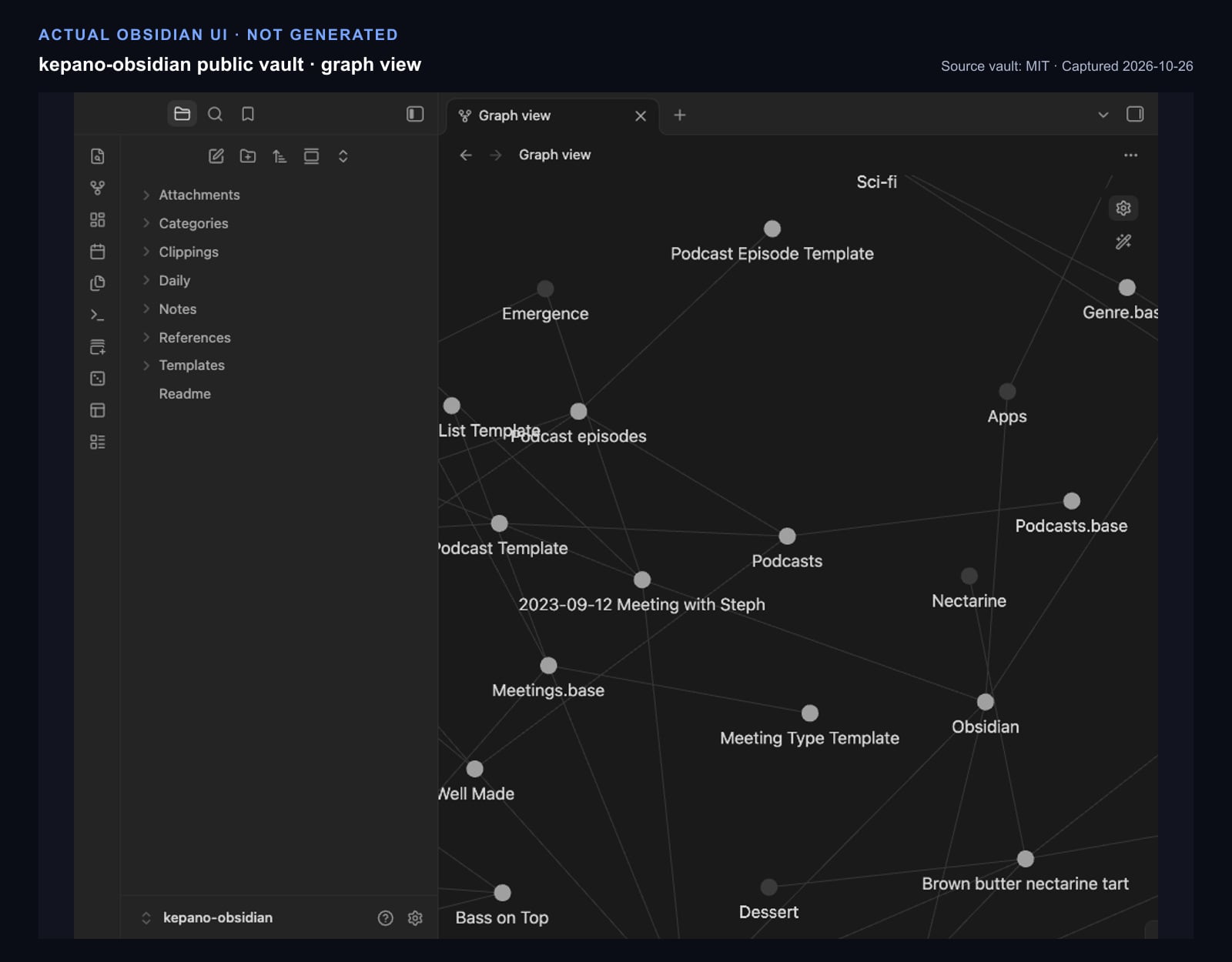
Actual Obsidian UI, captured from the public kepano-obsidian repository on October 26, 2026. Source vault: GitHub, MIT license. Obsidian application UI and marks belong to Obsidian. This is not a generated or reconstructed interface.
This is the most useful kind of template for an engineer: one that exposes actual files and conventions. You can test queries, inspect failure modes, diff revisions, and remove pieces without reverse-engineering a screenshot.
4. Zettelkasten: a knowledge-development method
Zettelkasten is frequently reduced to "atomic notes plus links." That is too shallow. The important property is a processing loop: source material produces notes in your own words; those notes are connected to existing thought; structure emerges through links and indexes; writing draws from the network.
The Niklas Luhmann Archive at Bielefeld University documents a collection of roughly 90,000 cards with a specific order and reference structure that supported theory development and publication (Bielefeld University). A digital implementation does not need to imitate the physical numbering system, but it should preserve the method's pressure toward contextualized, reusable thought.
A practical Obsidian note might look like this:
---
type: knowledge
status: evergreen
created: 2026-10-26
topics:
  - "[[JVM performance]]"
sources:
  - "[[AWS latency investigation - observations]]"
---

# Coordinated omission can hide tail latency

If a load generator waits for one response before scheduling the next request,
the test stops sending work during a stall. The resulting histogram can
understate the latency that users would observe under a fixed arrival rate.

## Engineering consequence

For overload tests, record both the request-scheduling model and the latency
distribution. A p99 number without the workload model is not portable evidence.

## Links

- Related: [[Queueing amplifies tail latency]]
- Applied in: [[ADR-002 load-test methodology]]
The note is not useful because it is short. It is useful because it states one portable claim, contains enough context to be challenged, and links evidence to later decisions.
The open-source Obsidian Zettelkasten Starter Kit is a useful implementation example and is MIT-licensed, but it is still one digital interpretation. Its plugins and folder stages are not requirements of the underlying method.
Where the other systems fit
The 48-slide source deck also discussed Johnny.Decimal, CODE, LifeOS, Bramses, JG Method, CyanVoxel, starter templates, and "beyond" hybrids. The useful move is not to rank all of them on one axis; it is to assign them to a job.
Johnny.Decimal: deterministic addresses
Johnny.Decimal gives material stable numeric identifiers such as 12.12 Home insurance & claims and is designed to make items easy to locate (official documentation). It is valuable for shared archives, compliance material, and operational records where "where is it?" must have one boring answer.
It can coexist with a link-centric vault:
20-29 Engineering/
├── 21 Architecture decisions/
│   ├── 21.01 Authentication/
│   └── 21.02 Data platform/
└── 22 Operations/
    ├── 22.01 Runbooks/
    └── 22.02 Incident reviews/
Use the ID as an address, not as the idea's meaning. A knowledge note may link to records in 22.02 without being forced into the same hierarchy.
CODE: a processing pipeline
Forte Labs describes Building a Second Brain as a method for saving, reminding, and applying knowledge; the commonly associated CODE loop is Capture, Organize, Distill, Express (official overview). CODE can run across a PARA folder tree or a link-centric vault. It is a state transition model, not a storage topology.
Packaged vaults and dashboards
LifeOS-style systems, Bramses, JG Method, CyanVoxel, and various starter vaults can be useful accelerators, but their names describe particular packages or authors' operating systems more than universal standards. Evaluate each as you would an internal platform:
- Is its source available?
- Is the license explicit?
- When was it last maintained?
- Which community plugins are required?
- Is the data readable when those plugins are disabled?
- Can you migrate one module at a time?
Bases, Dataview, and automation
Obsidian Bases is now a core plugin that creates database-like views over files and properties while keeping data in local Markdown and .base definitions (Introduction to Bases). Dataview provides a mature community query layer. Both can reduce navigation cost, but neither repairs inconsistent metadata.
External launchers and agents can accelerate capture and retrieval. They should write through a narrow contract: one inbox, a documented schema, deterministic filenames, and no silent rewriting of knowledge notes.
A maintainable hybrid for engineering work
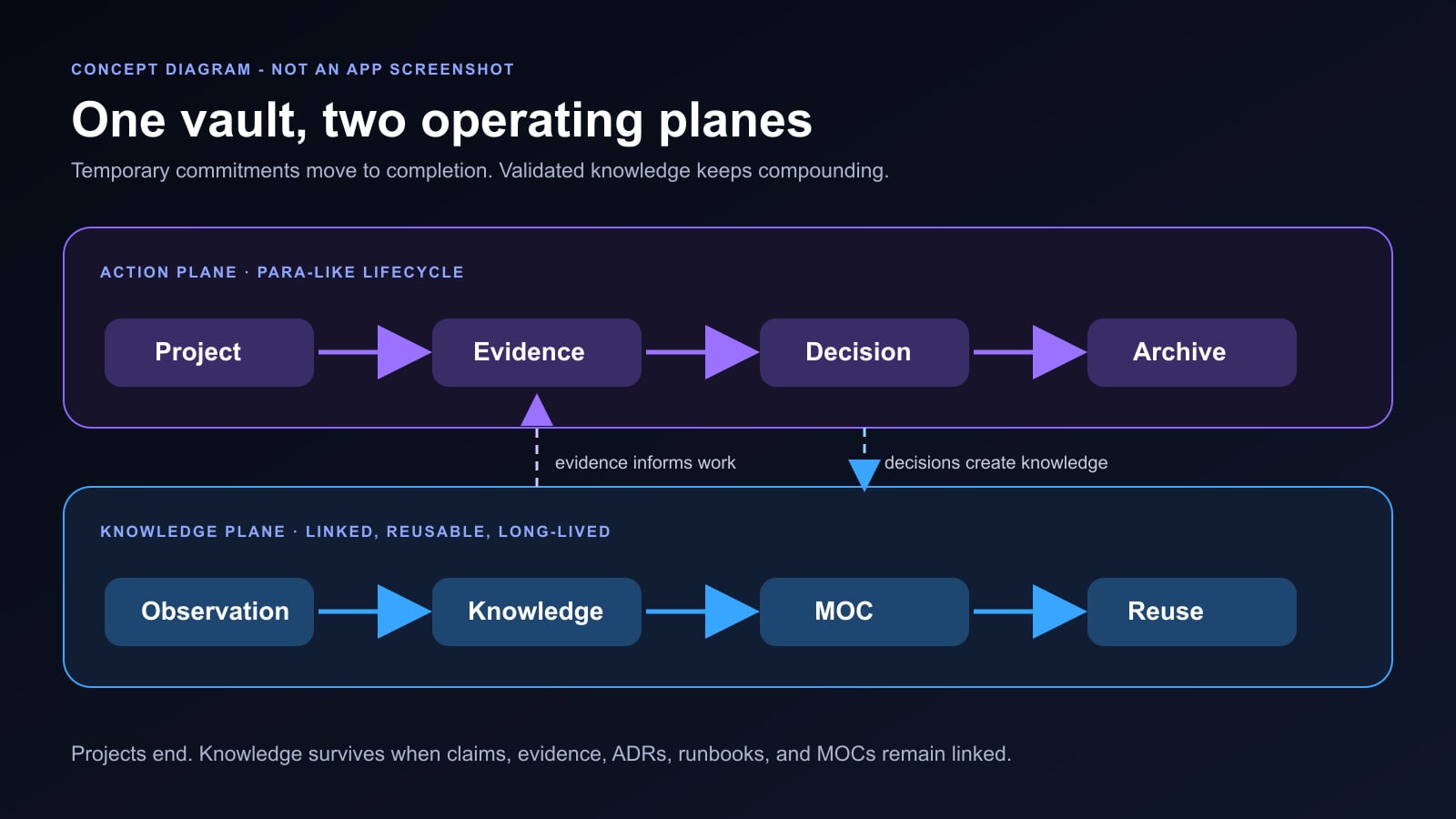
The hybrid below separates an action plane from a knowledge plane. Projects and Areas answer "what am I responsible for now?" MOCs and knowledge notes answer "what have we learned that should survive this project?"
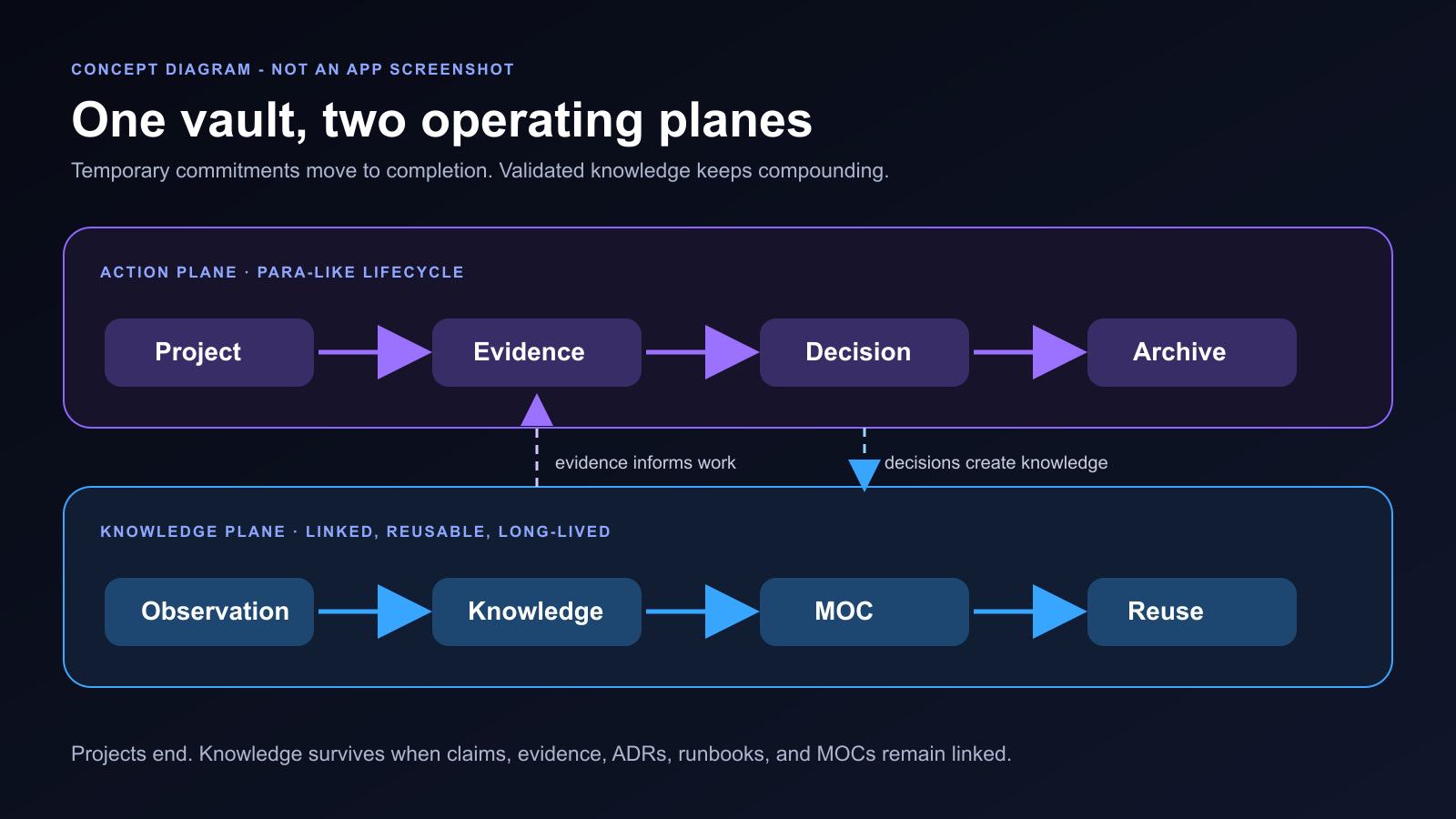
Concept diagram - not an Obsidian screenshot. The action plane has a lifecycle; the knowledge plane compounds through links. Evidence and decisions connect the two.
Folder tree
Engineering-Vault/
├── 00_Inbox/
├── 01_Projects/
│   └── Spring Boot latency on AWS/
│       ├── Project Overview.md
│       ├── Evidence/
│       ├── Meetings/
│       └── Tasks.md
├── 02_Areas/
│   ├── Production Reliability/
│   └── Developer Experience/
├── 03_Resources/
│   ├── AWS/
│   └── JVM/
├── 04_Archives/
├── 05_Knowledge/
│   ├── Coordinated omission can hide tail latency.md
│   ├── Queueing amplifies tail latency.md
│   └── GC pauses are not the only source of JVM stalls.md
├── 06_Decisions/
│   └── ADR-002 load-test methodology.md
├── 07_Runbooks/
│   └── Diagnose JVM latency on ECS.md
├── 08_MOCs/
│   ├── MOC - JVM Performance.md
│   └── MOC - AWS Runtime.md
├── 90_Templates/
├── 91_Attachments/
└── 99_System/
    ├── Schema.md
    ├── Style Guide.md
    └── Migration Log.md
This is intentionally boring. Folder names provide coarse lifecycle and governance boundaries. Links provide many-to-many meaning. MOCs provide curated navigation. Queries provide disposable views.
Small, typed metadata
Obsidian supports text, lists, numbers, checkboxes, dates, date-times, and tags as property types. Property names should therefore be few, typed, and documented.
---
type: project
status: active
owner: "[[Daisuke Masuda]]"
created: 2026-10-26
updated: 2026-10-26
area: "[[Production Reliability]]"
topics:
  - "[[JVM performance]]"
  - "[[AWS Runtime]]"
related:
  - "[[MOC - JVM Performance]]"
---
Recommended invariants:
typeis one ofproject,area,resource,knowledge,decision,runbook,moc, ordaily.statusis type-dependent; do not pretend one lifecycle fits everything.- Link-valued properties contain quoted Wikilinks.
- Dates use ISO
YYYY-MM-DD. - Tags are for broad filtering; semantic relationships use links.
- A property is not added until at least one query or workflow consumes it.
Templates that encode contracts
The official Templates core plugin can insert snippets and merge template properties into a note (Templates). Use that capability to encode minimum useful structure, not decorative boilerplate.
---
type: decision
status: proposed
created: "{{date:YYYY-MM-DD}}"
owners: []
project: ""
supersedes: []
---

# ADR-{{title}}

## Context

What condition forces a decision now?

## Options considered

### Option A
- Benefits:
- Costs:
- Failure modes:

### Option B
- Benefits:
- Costs:
- Failure modes:

## Decision

## Verification

What observable evidence will show that this works?

## Rollback

How do we safely undo it?

## Consequences

## Links
- Project:
- Evidence:
- Runbook:
Queries are views, not truth
If you use the Dataview community plugin, a project dashboard might contain:
TABLE status, owner, updated
FROM "01_Projects"
WHERE type = "project" AND status != "archived"
SORT updated DESC
The dashboard is derived. The canonical facts remain in Markdown properties. If Dataview is disabled, the project notes still exist and remain searchable.
A real workflow: investigating Spring Boot latency on AWS
Suppose a Spring Boot service on ECS shows intermittent p99 latency spikes.
1. Open a bounded project
Create 01_Projects/Spring Boot latency on AWS/Project Overview.md with a target outcome:
## Outcome

Identify the dominant cause of the 14:00-16:00 JST p99 spikes, ship one
reversible mitigation, and publish a runbook with verification steps.

## Exit criteria

- Reproduction or production evidence identifies the dominant mechanism.
- The change is deployed behind a reversible configuration.
- p99 and error rate remain within the agreed range for seven days.
- An ADR and runbook capture the decision and operational response.
This is PARA's strength: the work has an owner, outcome, and archive condition.
2. Capture evidence without prematurely generalizing
Store CloudWatch screenshots, JFR summaries, GC logs, load-generator settings, and experiment notes under the project. Link every claim to evidence. Do not promote a hypothesis into 05_Knowledge merely because it sounds plausible.
3. Distill portable findings
When evidence supports a reusable claim, extract a knowledge note such as Coordinated omission can hide tail latency.md. Link back to the project evidence and forward to the ADR.
This is the Zettelkasten contribution: project-specific observations become portable, composable knowledge.
4. Record the decision and the operating procedure
The ADR states why a fixed-arrival-rate test was selected, which alternatives were rejected, and how the decision will be verified. The runbook describes what an on-call engineer should inspect during the next spike.
5. Update the MOCs
Add the durable notes to MOC - JVM Performance and MOC - AWS Runtime. A MOC is not an automatically complete index. It is a curated path through the most useful material.
6. Archive the project, not the learning
Move the completed project to 04_Archives. Keep the knowledge notes, ADR, runbook, and MOC links active. The project was temporary; the validated learning is not.
Engineering guardrails for a vault that must last
A personal vault is still a data system. Once it becomes part of research, incident response, architecture work, or team onboarding, casual conventions become operational dependencies.
Version the conventions, not only the content
Keep 99_System/Schema.md and 99_System/Style Guide.md under version control. Record property additions, renames, and semantic changes in Migration Log.md.
## 2026-10-26 - status vocabulary v2

- Change: replace `doing` with `active` for project notes.
- Scope: `01_Projects/**/*.md` where `type: project`.
- Verification: no project note contains `status: doing`.
- Rollback: restore the pre-migration Git commit.
- Owner: [[Daisuke Masuda]]
This makes a bulk edit reviewable instead of magical. A Git commit is useful, but it is not automatically a complete backup strategy; keep an independent, tested restore path for the vault and its attachments.
Make dependency boundaries visible
For every community plugin, write down:
- which files or metadata it reads and writes;
- whether it changes plain Markdown or stores opaque state;
- which notes become harder to use when it is disabled;
- how to export or replace its output;
- who will notice when it breaks after an Obsidian update.
The best plugin dependency is one you can delete without losing the underlying information. A rendered table disappearing is acceptable. A decision becoming unintelligible is not.
Validate the schema mechanically
You do not need a complex linter to catch common drift. A small audit can identify unexpected types and legacy statuses:
# Review the distinct values currently used for type and status.
rg --no-heading '^(type|status):' \
  01_Projects 02_Areas 03_Resources 05_Knowledge 06_Decisions 07_Runbooks \
  | sort | uniq -c

# Find unresolved migration vocabulary.
rg --line-number '^status: (doing|finished)$' .
Run audits in CI only if the vault is actually maintained as a repository and contributors understand the checks. Otherwise, a scheduled local review is more honest than a permanently red pipeline.
Separate personal and team authority
A personal knowledge note may contain tentative interpretations. A team ADR or runbook can direct production work. Do not let an attractive graph erase that authority boundary.
Use distinct type values, ownership, review status, and source links. For sensitive material, apply the organization's access, retention, and incident-handling requirements; do not assume that a local file is automatically appropriate to store or synchronize.
Test retrieval with questions, not aesthetics
Sample questions are better acceptance tests than a screenshot:
- What did we decide, and which ADR is authoritative?
- Which evidence supported that decision?
- What changed after the last incident?
- Which runbook should on-call use now?
- Which knowledge notes are reusable outside the original project?
- Can another engineer answer those questions without knowing your folder folklore?
If the answers require the vault's author to sit beside the reader, the architecture has not yet externalized enough context.
Selection heuristics
Choose based on the failure mode you are trying to remove:
| Dominant pain | Start with | Add later |
|---|---|---|
| Active work is scattered | PARA | Knowledge notes and MOCs |
| Research never becomes writing | Zettelkasten | PARA for deliverables |
| You need guided connected-thinking workflows | Ideaverse in a separate test vault | Selective migration |
| You want a minimal public implementation | kepano | Your own project lifecycle |
| Teams cannot locate records | Johnny.Decimal | Links and topic MOCs |
| Metadata is consistent but navigation is slow | Bases or Dataview | Automation only after measurement |
Avoid choosing based on screenshots. A beautiful dashboard can conceal stale data, brittle queries, and unclear ownership. A plain vault with explicit contracts often scales better.
Migration without a rewrite
Treat vault migration like a schema migration:
- Inventory: list folders, property names, templates, plugins, and broken links.
- Define invariants: canonical types, dates, statuses, and link conventions.
- Pilot one workflow: choose one active project with real reuse pressure.
- Add views last: first make the files and links correct; then add Bases or Dataview.
- Measure retrieval: can you find the decision, evidence, owner, and next action in under a minute?
- Keep rollback cheap: do not bulk-move the vault until the pilot has survived a full project cycle.
- Archive old conventions: preserve a migration map rather than silently changing meanings.
Also back up before structural changes. "Local-first" is not the same as "automatically backed up." Sync, versioning, and backup solve different failure modes.
Visual and licensing notes
The slides that inspired this article carefully labeled many panels as concept diagrams or recreated UI examples. That distinction is preserved here:
- the two architecture diagrams are original concept diagrams;
- the kepano image is an actual Obsidian capture from a public MIT-licensed vault;
- no generated image is presented as an application screenshot;
- no slide reconstruction is presented as an official product interface.
The official Obsidian brand guidelines state that the name, logo, and app icon are trademarks, prohibit altering the logo, and ask users to contact Obsidian for commercial use of brand assets. For that reason, this downloadable package does not redistribute the official logo or official documentation screenshots. The article links directly to official product pages so readers can view the current interfaces and documentation at the source.
The generated cover uses an original abstract polyhedral form, not the Obsidian mark.
Final recommendation
Do not install an identity. Build an operating system you can explain.
For an engineer, the most durable starting point is usually:
- PARA-like folders for commitments and lifecycle;
- Zettelkasten-like notes for claims that should compound;
- MOCs for curated navigation;
- a kepano-like bias toward few folders, standard Markdown, links, and small schemas;
- templates for contracts;
- dashboards only where a real retrieval problem justifies them;
- Ideaverse components adopted selectively after a separate-vault evaluation.
The quality of a vault is not the number of plugins, folders, or glowing graph nodes. It is how reliably the system turns captured material into decisions, reusable knowledge, and completed work - without becoming a second job to maintain.